bouwnb.

How it works, from sign-up to booking

From your first message to guests arriving on their own: this is the whole route, step by step. No technical knowledge needed, anywhere.

01

Send us a message

Tell us a little about your B&B through the contact form. We set up your site and send you a personal login link. During the alpha we do that by hand, and that's deliberate: it means we walk the first steps with you, and you hear from us what to expect.
02

Fill in your site with the wizard

Rooms, rates, photos, house rules, a bit about the area: you walk through it step by step, in plain language. You pick one of the four designs, your own colours, and whether your site should be in Dutch, English or both. Season prices, cleaning fees and tourist tax are set once; after that the site does all the maths itself.

Most hosts are up within an afternoon. And you can always change everything later.

03

Go live

Your site appears at yourname.bouwnb.nl, or on a domain you already own. Findable on Google under your own name, with the technical side already handled. Put the link on your Airbnb profile, your Google Business profile and your business card, and the rest of this page happens by itself.

04

Requests come in

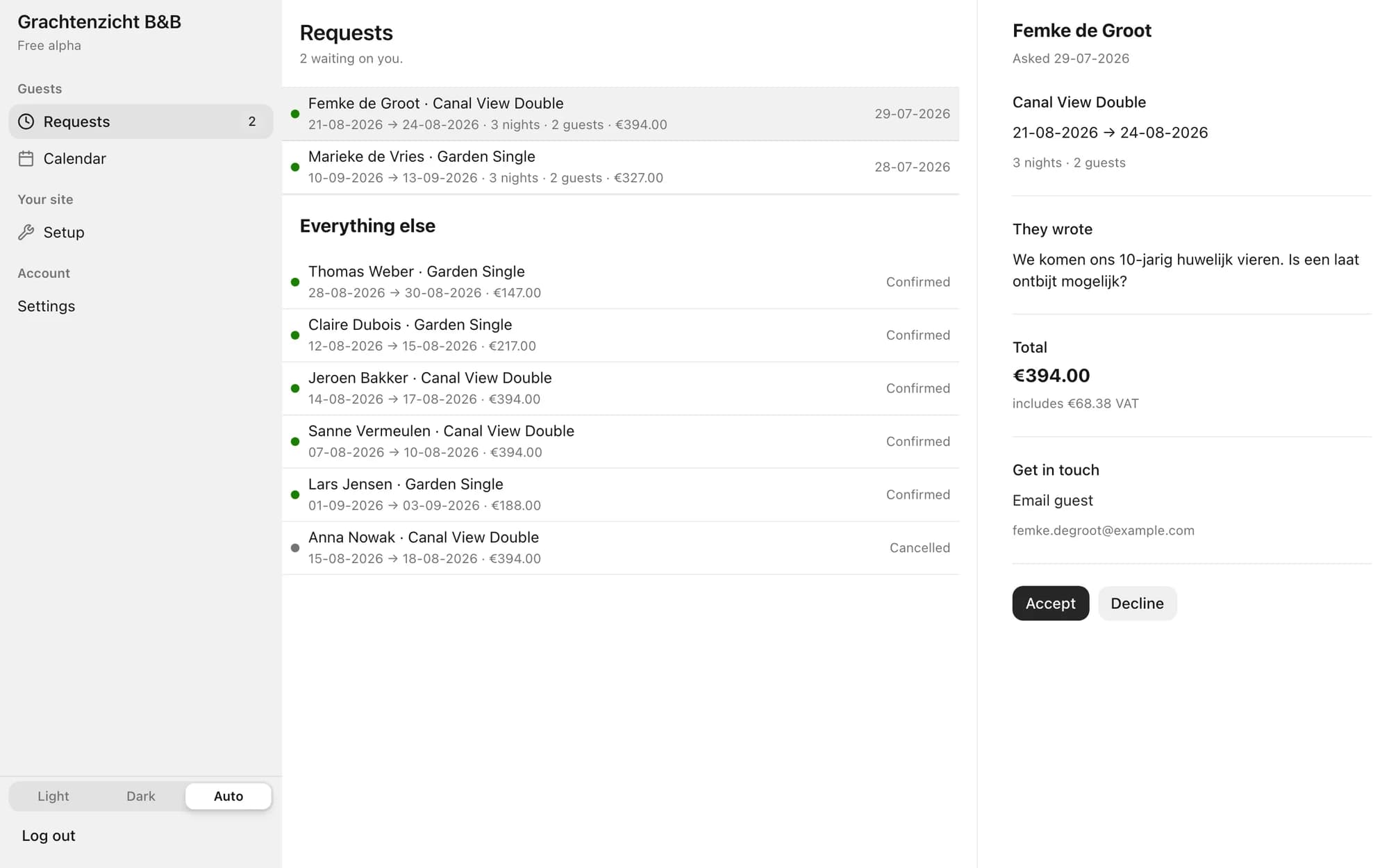
A guest picks dates and a room, sees the total price straight away, and sends a request. You get an email, and your dashboard shows everything you need to decide: who's coming, when, what the guest wrote, and what it earns.

One click on Accept and the nights are blocked, while your guest automatically gets a confirmation styled to match your site. Declining is just as easy, say when you'd rather keep those nights free for a longer stay.

The bouwnb dashboard showing a pending booking request with Accept and Decline buttons
A request in the dashboard: everything you need to decide, and one click to answer.
05

Everything in one list

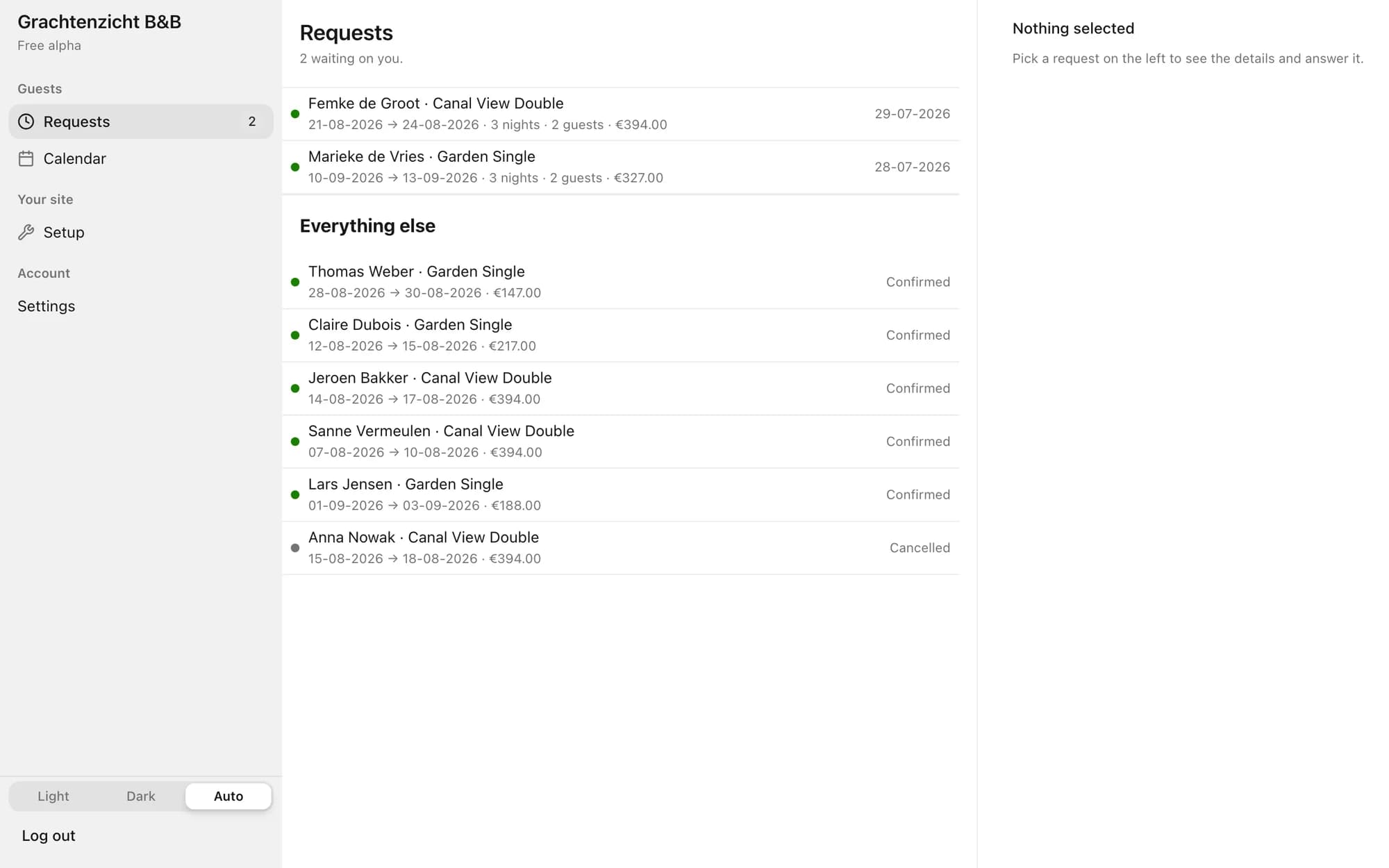
What's waiting for you sits at the top, the rest below: confirmed bookings, declined requests and cancellations, amounts included. No folder of notes, no paper diary on the side.

The bookings overview in the bouwnb dashboard with pending requests at the top and confirmed bookings below
The overview: requests waiting for you at the top, every other booking below.
06

Your calendar always adds up

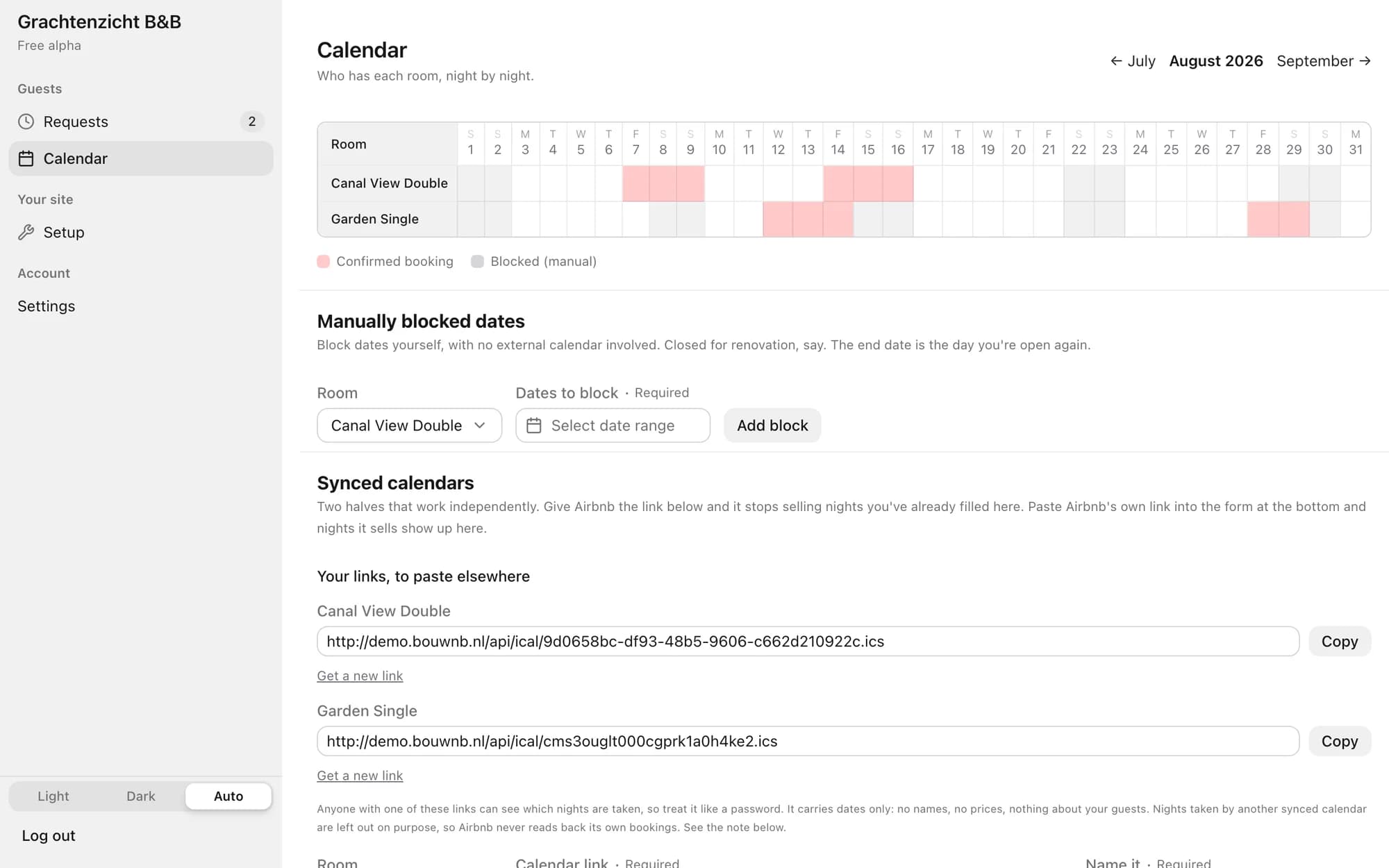
Every accepted booking immediately blocks the right nights, per room. Also listed on Airbnb, Booking.com or Bedandbreakfast.nl? Connect their calendars and availability stays in sync both ways, so you never get double-booked. Blocking dates yourself, for a renovation or a family weekend, works too.

The calendar in the bouwnb dashboard with occupied nights per room and connected external calendars
The calendar: who's in which room, night by night, with Airbnb and Booking.com connected.

Ready to try it?

During the alpha, bouwnb is free, and we set up your site together with you. One message is enough.

Send us a message